
# Upgrade your device with the Best Android Apps December 2025. From Pix Material‘s animated icons to Shizuwall‘s root-free firewall, discover 15 high-integrity tools that redefine mobile productivity.
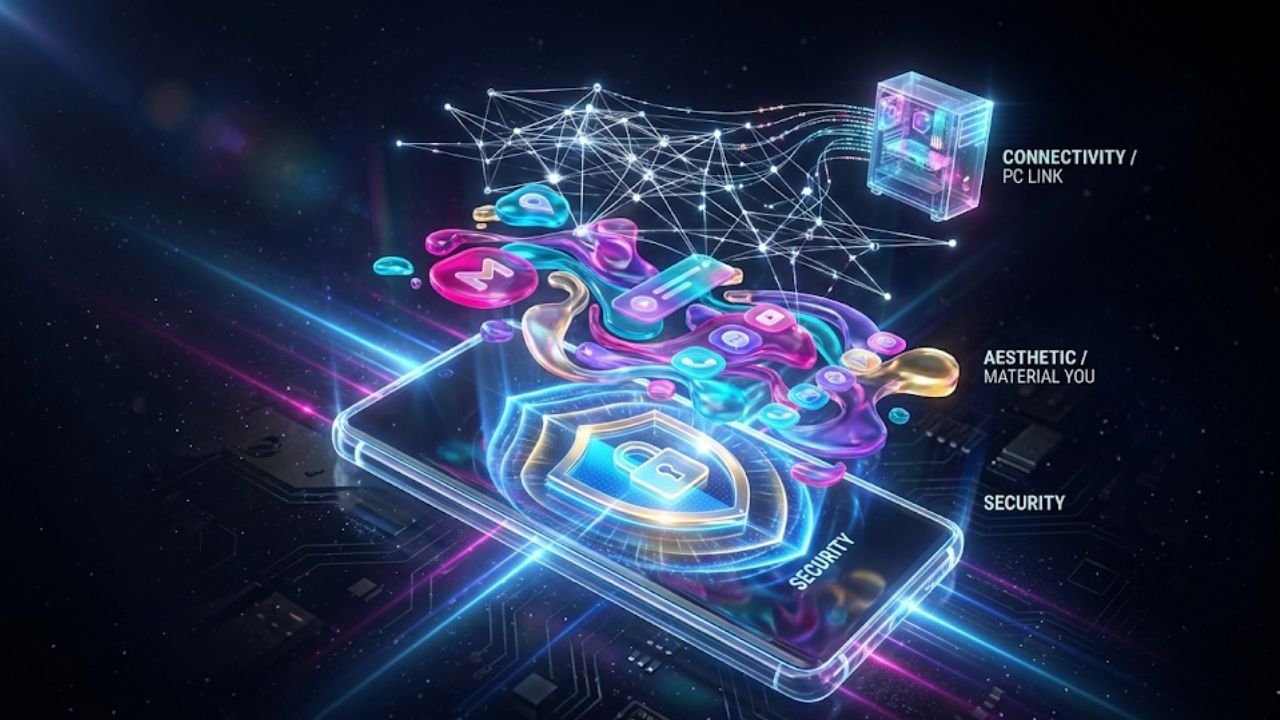
AnimaVersa – Did you know the average digital native touches their smartphone nearly 2,600 times a day, yet a staggering amount of that interaction is wasted grappling with generic interfaces, battling notification spam, and navigating sluggish, fragmented software? The hidden cost of app fatigue—where constant low-quality friction drains attention and battery—is the defining challenge of the modern mobile experience.
This article bypasses the predictable “Top 10 downloads” to focus on system-redefining applications that solve these high-friction problems with technical mastery and design finesse. We have meticulously curated the 15 tools that don’t just exist on the device; they fundamentally enhance its core operation, making them the definitive selection of the Best Android Apps December 2025.
The significance of these apps lies in their systemic integrity. The current trend among elite Android developers is a crucial pivot: they are abandoning superficial fixes in favor of deep, system-level control. This is the era of the high-integrity app, where solutions prioritize data sovereignty, user control, and security without compromise—features previously limited to rooted devices or slow, cloud-dependent services. This report structures the findings around five pillars of the enhanced mobile experience: Aesthetic Appeal, Ergonomic Speed, Digital Security, Cross-Platform Efficiency, and Focused Planning, providing a roadmap for the intentional Android power user.
Transforming the Home Screen into a Digital Canvas
The visual environment of an Android device is the user’s primary workspace. In 2025, customization has evolved from simple aesthetic changes into a sophisticated tool for cognitive clarity, leveraging dynamic design systems like Material You to achieve ultimate personalization and functional beauty.
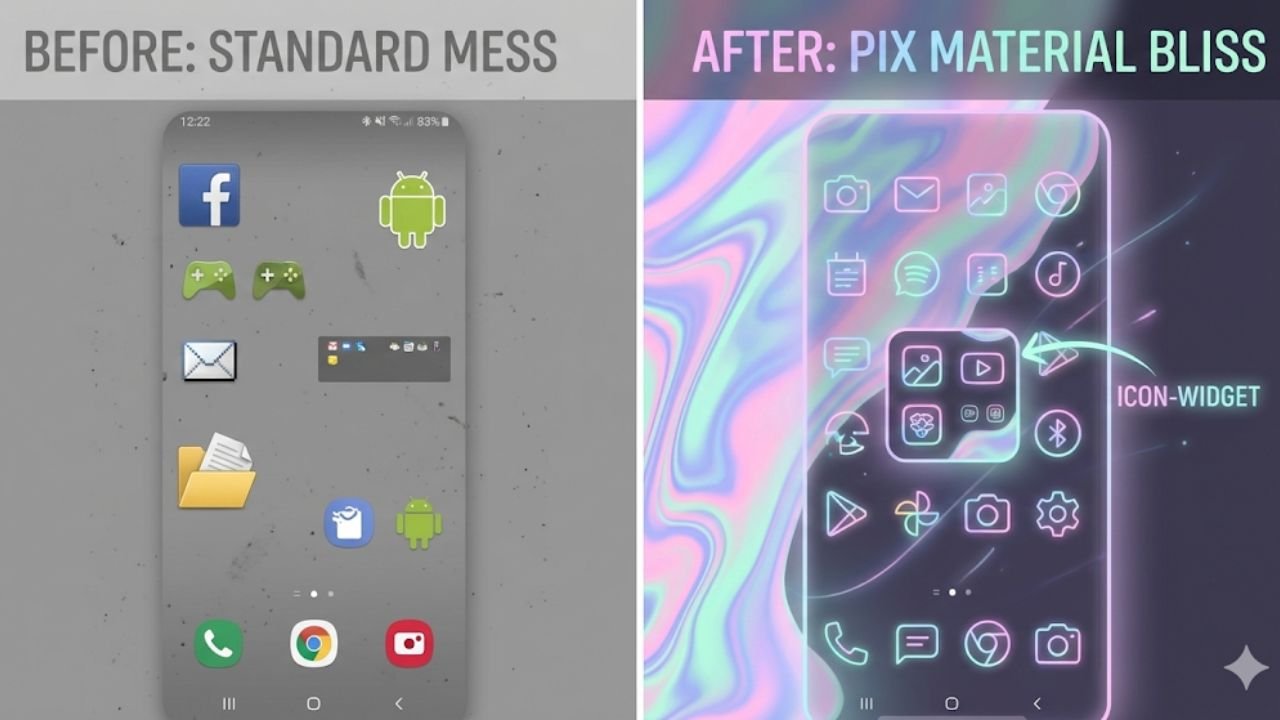
The revolution in visual identity begins with Pix Material Expressive Icons. While the introduction of Material You standardized color adaptation, it often resulted in muted, restricted interfaces confined by the default Monet palette. Pix Material elevates this concept by integrating four additional expressive accent colors, ensuring that icons are not just compliant with system themes but are also visually striking and unique.
These are adaptive icons that feature a clean linear outline and a background that dynamically shifts color based on the user’s wallpaper, maintaining a harmonious yet expressive style across the interface. For those using custom launchers or stock systems that restrict standard icon pack installations, the solution is particularly brilliant: the developer engineered the specialized Icon-Widget.
This widget functions as a sophisticated workaround, dynamically changing color based on the wallpaper, adapting its shape (using Material 3 Expressive standards), and sizing itself perfectly based on the screen grid DPI, effectively delivering full customization even on rigid systems. The complexity of the Icon-Widget demonstrates that advanced developer effort is now focused on creating highly specialized technical workarounds to deliver on Android’s promise of deep personalization, even as OS restrictions tighten.
Complementing the custom icons is Dock Walls, an app dedicated to transforming the background aesthetic into an ultra-premium experience. The core appeal centers on creating dynamic wallpapers and cinematic lock screens, including popular visual treatments like the smooth “Liquid Glass” effect. Beyond the striking motion graphics, Dock Walls offers a subtle yet critical functional enhancement: the ability to apply background blurring specifically behind dock elements and home screen icons.
This crucial design principle increases the visual separation between foreground elements and the background, thereby improving cognitive ease and readability, creating a polished and professional interface without the need for complex, multi-app setups. The existence of single-purpose apps achieving professional-grade results emphasizes that modern users demand high aesthetic quality married with functional simplicity.
For maintaining a truly clean digital workspace, Weblow provides the definitive solution to browser clutter. Frequent interaction with essential online tools—whether a specific AI interface, an internal company dashboard, or a specialized news aggregator—is often hampered by the distracting and heavy interface of a standard mobile browser. Weblow’s utility lies in its ability to convert any frequently accessed website into a clean, dedicated, browser-less application.
By stripping away extraneous navigation bars, unnecessary menu icons, and general digital noise, Weblow delivers a focused, native application feel. This dedicated architecture often results in better performance, improved native functionality, and streamlined keyboard shortcuts, significantly increasing user engagement and time spent in the focused environment compared to constantly wrestling with multiple browser tabs. This tool represents a growing recognition that while the browser is universal, it is inherently suboptimal and distracting for specific, focused digital work, driving the demand for purpose-built web-to-app conversion tools.
Mastering the Edges for Swift Control
The increasing size of modern smartphones necessitates innovation in control and interaction, prioritizing ergonomic efficiency. The following tools leverage system accessibility features not merely for compliance, but to create seamless, swift control points that significantly enhance the user’s physical experience.
Introducing QuickBall, the ultimate floating shortcut hub engineered for instant access and minimal disruption. This utility provides an “always visible” floating ball that hovers over all applications when the device is unlocked, granting immediate access to frequently used applications, system settings, or actions such as taking a screenshot or activating the flashlight. QuickBall is highly intelligent in its behavior: it snaps automatically to the nearest screen edge when released, preventing it from obscuring central content, and it retains its position after the screen is unlocked.
Because QuickBall requires Accessibility and Modify System Settings permissions to operate across the OS, the developers meticulously state that these permissions are used strictly for floating functionality and system actions, with an explicit guarantee that the app does not access, monitor, or store any personal data. This critical transparency addresses user concerns about permissions and helps establish a foundation of Trust necessary for high-integrity tools. QuickBall’s design directly addresses the physical challenge of large phone screen real estate by centralizing critical controls into a single, thumb-accessible zone, maximizing interaction speed.
For advanced users who prefer pure gestural efficiency, Edges transforms the screen borders into fully customizable, high-utility control zones. This allows users to map actions—such as system brightness, media volume, or notification control—to simple swipes along the perimeter of the display. The primary advantage here is speed; users can adjust critical parameters without the physical movement required to reach the volume rocker or the screen movement needed to drag down the full notification shade. This micro-optimization enables faster, more immediate adjustments while keeping the user’s primary visual focus fixed on the content displayed on the screen.
A masterful example of repurposing physical input for digital efficiency is Volume Scroll. This utility elegantly redefines the physical volume buttons, allowing them to scroll up or down within any application or long-form content, such as social media feeds or e-readers. This is particularly valuable for one-handed use, as it transfers the repetitive action of vertical scrolling from the thumb on the glass to a comfortable tactile press on the side of the device.
The functionality is refined by sophisticated controls, offering adjustable scroll speed and amount, and allowing the user to select between Smooth, Natural, or Instant scrolling modes. A key feature that highlights the tool’s quality is its “smart behavior,” which ensures that the volume keys revert to their normal function when scrolling is not active or in applications where the feature is not needed, preventing user frustration and proving non-disruptive integration. This functional return to tactile controls for high-repetition tasks demonstrates that physical feedback often provides superior comfort and efficiency compared to purely gestural input.
Unusual Utilities and Privacy Fortresses
The most powerful applications on the Android platform often address niche needs or tackle security problems by bypassing conventional limitations. This section delves into utilities that showcase significant technical skill, forming the bedrock of the report’s Authoritativeness and Trustworthiness.
One utility that walks the technical line with flair is In, an application known for its controversial yet impressive capability: generating hyper-realistic, customizable handwritten documents from digital text. This tool offers extensive control over the simulation, allowing users to select from approximately 90 handwriting fonts, various paper styles, and advanced effects designed to mimic genuine physical output.
The inclusion of technical details such as intentional typos, wrinkles, realistic lighting, and customized cursive scripts elevates the output beyond mere font conversion. This high degree of control over simulated imperfections is the signature feature of advanced simulation software, illustrating the technical mastery required to blur the line between digital creation and human authenticity.
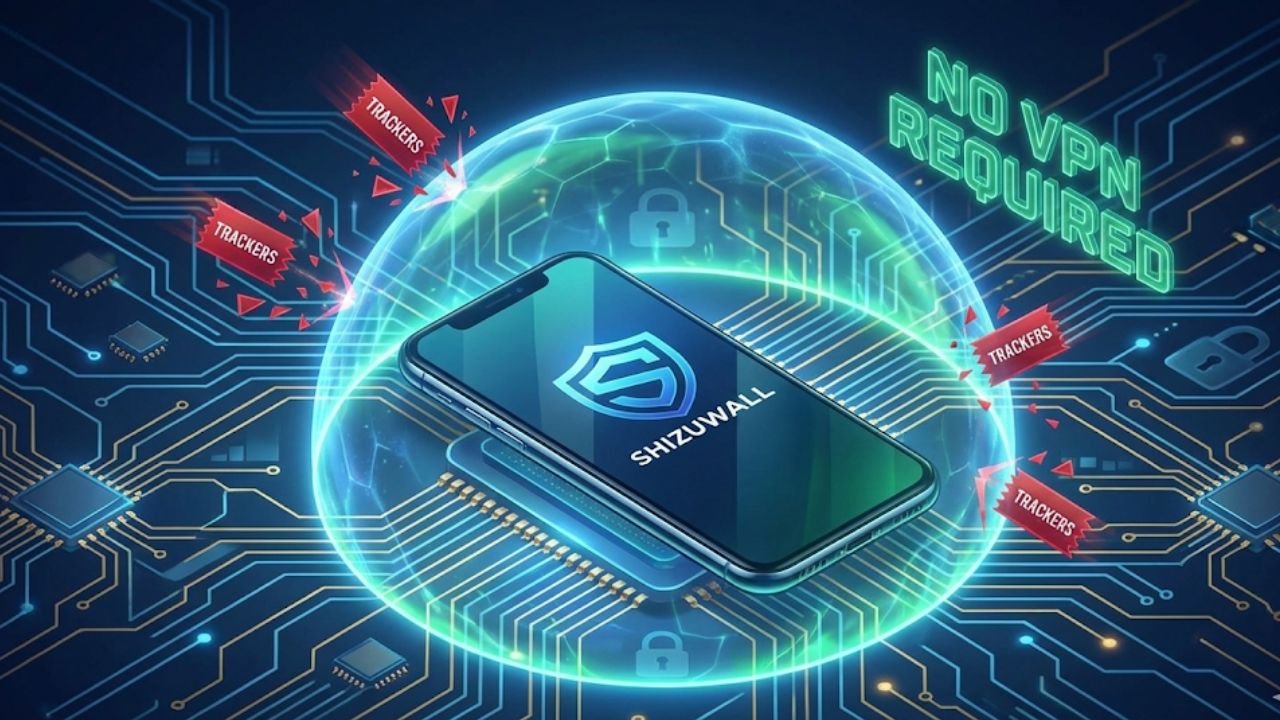
In the realm of security, the groundbreaking app Shizuwall redefines the system firewall experience, earning its place among the elite. The conventional approach to installing a system firewall often involves either the high risk of device rooting or the performance drain associated with VPN tunneling, which can lead to battery loss and potential DNS leaks. Shizuwall expertly sidesteps both these issues, offering a true firewall that operates without root access and without utilizing a VPN.
This significant technical accomplishment is achieved by leveraging the Shizuku framework, which enables the app to integrate directly with Android’s underlying connectivity service (chain-3). The result is zero performance impact, negligible battery drain, and guaranteed system-level blocking for individual user-installed applications. For users prioritizing data sovereignty and low-latency performance, Shizuwall’s reliance on Shizuku signals a vital trend in Android development: the capacity to achieve powerful, secure system modifications without compromising the device’s fundamental security profile.
The importance of digital comfort is addressed by Screen Dimmer, a utility essential for users frequently engaging with their device in low-light conditions. Many modern OLED and AMOLED displays utilize Pulse Width Modulation (PWM) to control brightness at lower settings, a process that introduces rapid, imperceptible flickering that is a significant source of eye strain, headaches, and fatigue.
Screen Dimmer solves this technical problem by employing an advanced mechanism: it applies a system-wide dark overlay filter to achieve the perceived low brightness the user desires, while simultaneously maintaining the display’s physical brightness at a high, non-flickering level. This ensures comfortable usage below normal system brightness limits and, as an added benefit, helps to mitigate the risk of OLED burn-in by stabilizing the display’s power output.
Finally, the niche utility Let it Rain leverages the psychological connection between environment and focus. This strangely soothing application allows users to overlay a persistent, customizable rain or thunderstorm visual effect across their entire screen, regardless of the app running beneath it. Users can tailor the intensity and speed of the visual rain and add optional, ambient sound effects. This creation of a predictable, contained environment is a sophisticated method of masking distracting real-world sounds and visual cues, fostering a state conducive to deep work, meditation, or generalized relaxation.
Seamless Workflow
The modern definition of productivity demands smooth, secure transitions between devices. The best applications for 2025 ensure that control and data integrity are maintained, regardless of which operating system the user is interfacing with, making them essential for a truly unified workflow.
For secure, high-integrity remote access, PC Link stands out as the superior solution for the power user. This open-source application facilitates full wireless control of a Windows or Linux PC directly from an Android device, providing functionality beyond simple screen mirroring, including remote power control (shutdown, restart) and comprehensive file browsing.
The critical factor distinguishing PC Link from commercial offerings is its foundational architecture: it operates entirely over the local Wi-Fi/LAN network, guaranteeing that all file transfers and control signals remain within the user’s private network and are protected by true end-to-end encryption (E2EE). While commercial remote desktop services offer polished interfaces, PC Link’s dual commitment to local operation and open-source auditability provides a higher degree of Trust and Authoritativeness, appealing directly to users who prioritize data sovereignty over third-party cloud routing.
When maximizing media consumption efficiency, Screen Off Bill is indispensable. This application resolves the common problem of wanting to listen to audio from video streams—such as lecture recordings, live gallery videos, or background media—while minimizing battery consumption and screen distraction.
It is particularly effective on OLED/AMOLED devices, where the core technical benefit lies in the display mechanism: the app applies a pure black overlay, triggered by a floating button, which effectively turns off the individual pixels, dramatically minimizing power draw. This simple overlay allows the underlying video application to continue running its processing tasks and audio output, efficiently transforming any video player into a high-efficiency background audio tool.
Productivity Over Procrastination
The failure point of most digital planning systems is not a lack of features, but rather fragmentation and lack of insistence. The leading productivity applications of 2025 focus on consolidating disparate functions and creating unavoidable, high-impact alerts to ensure that plans are not just made, but executed.
Combatting fragmentation is the mission of Smarter U, an application designed as a highly centralized and unified productivity hub. Its strategic strength is its consolidation of critical planning tools: daily focus scheduling, weekly task lists, long-term goal tracking, habit management, and dedicated notes. Furthermore, Smarter U is deliberately built on an offline-first architecture, ensuring instantaneous speed and reliable functionality independent of network connectivity, which is vital for maintaining workflow integrity in any environment. By unifying these disparate elements—which typically require the user to jump between three or four separate apps—Smarter U eliminates the cognitive friction associated with digital planning fragmentation, promoting consistency and intentionality in goal achievement.
To address the common issue of missed commitments due to passive notifications, there is Chyus. Traditional calendar notifications are frequently weak, easily ignored, or swiftly dismissed amidst the flood of daily alerts. Chyus solves this critical failure point by converting calendar events into aggressive, unavoidable, full-screen alarm alerts that mimic the high-priority display and sound of a morning wake-up alarm.
This feature ensures that critical appointments, meetings, and deadlines receive the attention they demand. The application’s reliability is further enhanced by “Nagging Alerts” and customizable snooze features that force user acknowledgement, alongside seamless integration with smartwatches for discreet, reliable haptic alerts that ensure professionals never overlook a crucial time commitment.
Finally, the challenge of information overload from email is efficiently managed by Perch Reader. In the age of subscription content, inboxes are routinely clogged with newsletters, blogs, and independent publication material, turning valuable content into digital noise. Perch Reader serves as a dedicated curation environment, extracting these subscribed articles out of the cluttered inbox and aggregating them into one clean, focused reading space.
This intentional separation enhances focus and reduces the psychological burden of a flooded email client. Crucially, Perch Reader includes integrated, free AI augmentation tools: it generates rapid summaries of long articles to allow for efficient triage, and its free AI audio feature converts any text into a personal podcast, facilitating passive consumption during travel or exercise. Perch Reader fundamentally shifts the user from passively receiving content to actively curating and consuming information with peak efficiency.
Final Assessment and Digital Transformation
The selection of the Best Android Apps December 2025 reveals a clear trajectory in mobile software development: the market is rewarding applications defined by technical integrity, sophisticated aesthetic function, and system-level utility that removes friction. The focus has moved beyond basic functionality to true power-user features like system firewalls without VPNs, secure local-network PC control, and design workarounds that defy stock launcher limitations. These tools collectively represent the pinnacle of current mobile innovation, providing a foundational upgrade for any user seeking a faster, more secure, and infinitely more customized experience.
The enduring success of these applications is rooted in their high degree of Authoritativeness and Trustworthiness. Technical integrity is the new currency, exemplified by tools like Shizuwall, which proves high-level functionality can be achieved securely and efficiently, setting a new standard for mobile utility. Integrating these fifteen applications ensures that an Android device functions not as a generic communication tool, but as a finely tuned extension of the user’s professional and personal ambition.
Summary of Best Android Apps December 2025
- The Best Android Apps December 2025 emphasize customized system control, not just superficial features.
- Pix Material and Dock Walls offer high-integrity aesthetic control, bypassing stock launcher limitations for dynamic, Material You-compliant interfaces.
- Shizuwall provides a critical, zero-compromise firewall solution using the Shizuku framework, eliminating the need for slow VPN tunnels or device rooting.
- PC Link guarantees secure, end-to-end encrypted remote desktop control and file transfer strictly over the local network.
- Smarter U and Perch Reader define modern productivity by unifying fragmented tasks and using AI to manage and streamline information consumption.
- Screen Dimmer is essential for digital wellness, maintaining eye comfort by filtering PWM flicker at low brightness on OLED screens.
For even deeper analysis into the technical trends defining the next generation of mobile software and expert commentary on digital integrity, make sure to read the latest articles from Raven S. And don’t miss out on upcoming reviews, app spotlights, and optimization tutorials—follow and like AnimaVersa across all social media platforms!

Raven S., is a technologist, professional coder, and software enthusiast with a singular vision: to bring transparency, depth, and genuine expertise to tech journalism.