
# Upgrade your campus carry with our College Tech Essentials (2026) list. From the M4 MacBook Air vs. Snapdragon X Plus debate to the Samsung T9 SSD, discover the 17 tools you need for academic survival.
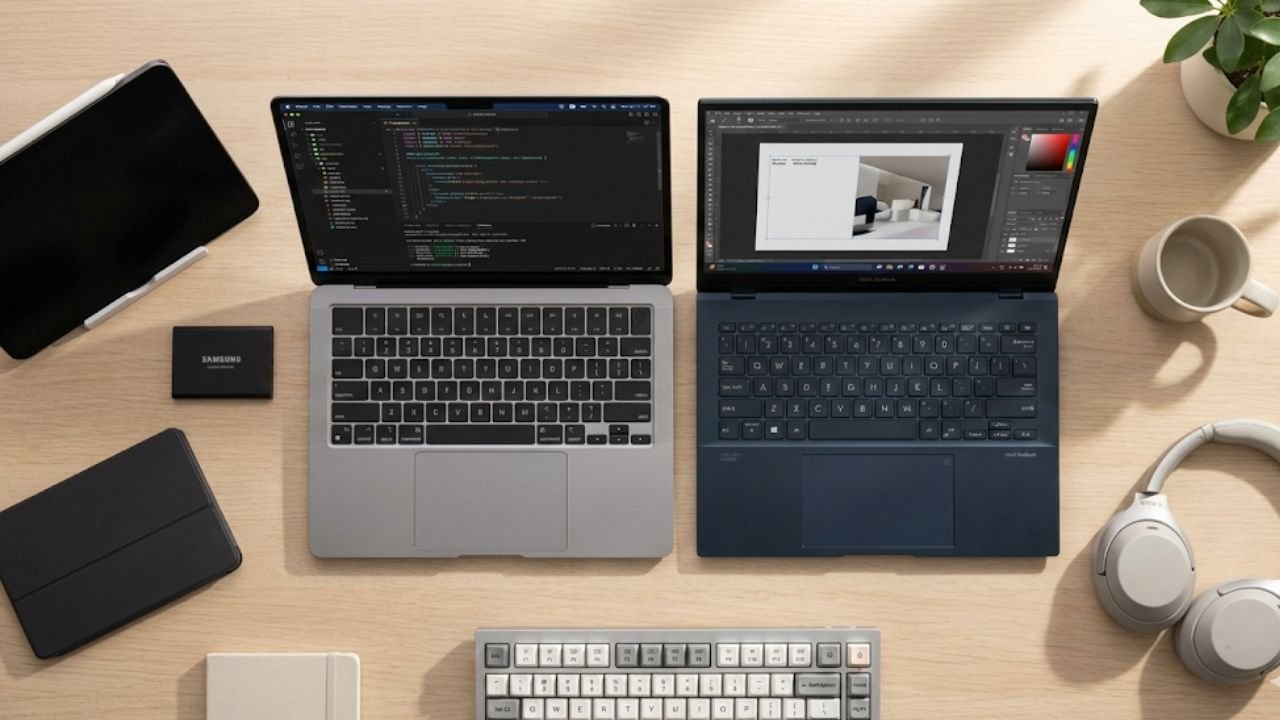
AnimaVersa – Heading into college is always a mix of excitement and anxiety, and right at the top of the anxiety list sits the technology pile. Choosing the right gear for the 2026 academic year isn’t just about picking the newest, shiniest gadget; it’s about crafting a digital ecosystem that can genuinely handle the relentless pace of campus life.
Students need equipment that is light enough to haul across campus multiple times a day, powerful enough to handle assignments, and—most crucially—efficient enough to last through back-to-back classes without hunting for an outlet. This isn’t just a shopping list; this is a strategic roadmap for digital survival, featuring 17 rigorously tested gadgets that redefine what “essential” means for the modern student.
The fundamental technological shift driving this 2026 essential list is the widespread adoption of the ARM-based processor architecture. Whether it’s Apple’s M-series chips or Qualcomm’s Snapdragon X Plus powering Windows machines, this move has completely changed the performance conversation. Where previous generations focused on sheer processing speed, today’s landscape prioritizes energy efficiency and instantaneous responsiveness.
For most student use cases—writing papers, attending Zoom lectures, managing large spreadsheets, and light creative work—endurance and portability now heavily outweigh raw, maximal processing power. This shift forces a new calculus for students and parents: every dollar spent must directly translate into better battery life and mobility, aligning the gear perfectly with the on-the-go lifestyle of university students.
This comprehensive analysis delves into 17 crucial College Tech Essentials 2026 across three major functional zones: the Powerhouse Devices that form the academic core, the Data and Connectivity Lifelines that keep the system running, and the Productivity and Comfort Catalysts that enhance your daily workflow. The curated selection provides the high-utility, critical assessment necessary to ensure that every choice made is informed, durable, and highly reliable, moving beyond simple product hype to focus on real-world academic requirements.
Powerhouse Devices: The Core of Your Academic Life
The choice of a primary computing device—laptop and tablet—dictates the entire workflow for the college semester. This decision is less about preference and more about required compatibility and efficiency, especially in the new era of high-efficiency chips.
College Laptop Comparison (Gadgets 1 & 2)
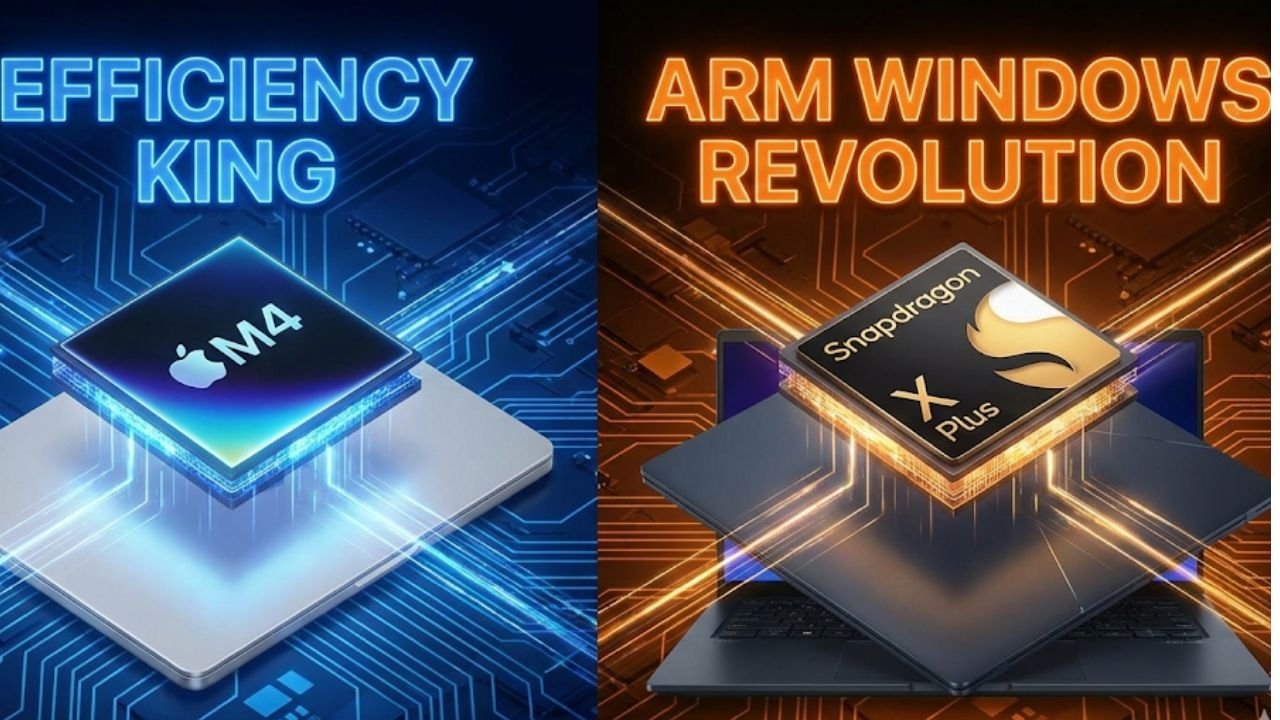
The most anticipated technology battle of the year in the student segment is the face-off between the Apple M4 MacBook Air and the new generation of Windows machines running on ARM, exemplified by the ASUS Zenbook A14. Both computers represent the pinnacle of thin-and-light design, and both are optimized for extreme power efficiency. This competition is defined by which ecosystem best serves the student’s academic focus, rather than pure benchmark speeds.
The M4 MacBook Air remains, for many students, the straightforward and easy pick. Its M4 chip is currently positioned as the market leader in the balance of efficiency and polished performance, offering robust power for creative tasks while delivering legendary battery life. The macOS ecosystem provides stable, user-friendly performance, making it ideal for the general humanities, business, or media student who values seamless operation and creative stability.
However, the ASUS Zenbook A14, powered by the Qualcomm Snapdragon X Plus ARM chip, presents a compelling challenge, particularly for students whose fields of study demand specific Windows-only software, such as certain engineering applications, specific statistical modeling tools, or financial platforms. While running Windows on ARM still faces minor compatibility questions compared to its x86 counterpart, the responsiveness and efficiency are high. Furthermore, the Zenbook often introduces compelling convenience features, such as “always-on facial recognition,” which can add appreciated security and speed to daily sign-ins.
The fundamental factor is that while the M4 is generally considered more powerful for intensive creative tasks, the Zenbook offers environmental flexibility that is non-negotiable for specialized software requirements. Students must align their laptop decision squarely with their degree path; if Windows-specific applications are mandated, the Zenbook ecosystem is the necessary choice.
Choosing the Perfect Tablet (Gadgets 3, 4, & 5)
Tablets, once merely entertainment devices, are now indispensable organizational and note-taking tools. The iPad A16 (Gadget 3) represents Apple’s aggressive push into the value-focused productivity sector. With iPadOS 26, the A16 significantly narrows the gap between tablet and laptop. Key updates, such as the new windowing mode with Mac-style controls, allow students to snap, split, tile, and resize apps smoothly. Enhanced file management, including the ability to pin folders to the dock, makes multitasking feel intuitive and professional. This device provides the flexibility of a digital canvas and the organizational strength of a secondary productivity machine.
However, the iPad A16 comes with a significant, high-stakes trade-off that students must consider for the 2026 academic year. Specifically, the A16 model does not support Apple Intelligence (AI features). This exclusion impacts the ability to utilize future core AI functions centered on reading, writing summaries, and generating images—tools that are increasingly becoming integral to academic workflow. This decision by Apple appears to be a strategic move to push users who require high-value, advanced assistance towards more expensive, AI-capable models. For the budget-conscious student, this means a critical choice: accept the lack of these modern AI aids or allocate a larger portion of the budget to an AI-compatible device.
For those prioritizing Android or needing a more open file ecosystem, the Samsung Galaxy Tab S9 (Gadget 4) and S10 FE (Gadget 5) provide robust, high-performance alternatives. These tabs often integrate well with non-Apple accessories and offer competitive performance for digital media consumption and organization. Regardless of the tablet ecosystem chosen, effective use depends on high-quality input. The Apple Pencil 1st Gen (or a comparable high-quality third-party option like the ESR Geo Digital Pencil) is essential for effective note-taking, precise annotation of PDFs, and sketching during lectures, transforming the tablet from a passive device into an active learning tool.
Data and Connectivity Lifelines: The System Support
The pursuit of thin, efficient powerhouse devices has led to a necessary reliance on external accessories for data handling and connectivity. Choosing these support systems is no longer an afterthought; they are the infrastructure that determines the system’s limits and efficiency.
Samsung T7 vs. T9 SSDs (Gadgets 6 & 7)
For the modern student, data storage can no longer be confined to slow, bulky hard drives. Projects, especially those involving media, coding, or large research datasets, demand speed and resilience. The choice between the Samsung T7 and its successor, the T9, hinges on a crucial understanding of interface capabilities.
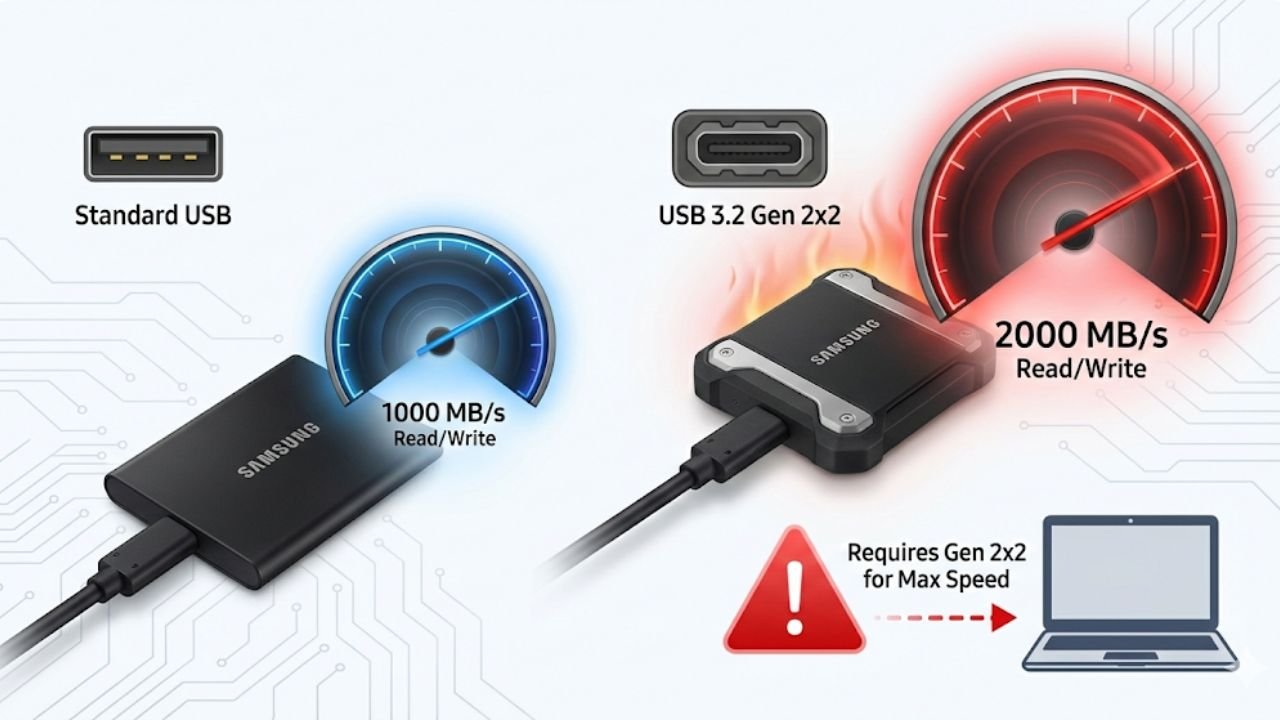
Storage speed fundamentally impacts workflow beyond just copying files; it significantly reduces lag when running applications, editing 4K video, or accessing large project files directly from external storage. The Samsung T9 (Gadget 7) is the technical winner in this comparison, boasting sequential read and write speeds of up to 2000 MB/s and 1950 MB/s, respectively. This doubling of speed over the T7 is achieved through the utilization of the USB 3.2 Gen 2×2 interface, which employs two 10 Gbps lanes for a total of 20 Gbps capacity. Furthermore, the T9 features a durable, rubberized shell, making it better equipped for the rigors of being constantly transported across campus.
However, the critical factor for students is infrastructure compatibility. The T9’s peak performance is exclusively unlocked if the host machine—the laptop or desktop—supports the USB 3.2 Gen 2×2 standard. Many current M4 MacBook Air models or standard Windows laptops only feature the widely used 10 Gbps USB-C ports (Gen 2×1). If a student connects the lightning-fast T9 to a standard 10 Gbps port, they will only see speeds closer to the T7’s maximum, rendering the T9’s speed premium pointless. This emphasizes that portability drives accessory dependency, and the hidden costs of a minimalist setup must be managed through educated, high-quality accessory purchases.
For students on a budget or those with standard hardware setups, the Samsung T7 (Gadget 6) remains an excellent value proposition. It provides solid high-speed storage (around 1,000 MB/s) and comes at a lower price point, offering a fantastic balance of performance and cost efficiency. The choice should be determined by whether the student’s expensive, new laptop actually possesses the necessary port technology to harness the T9’s full potential.
For clarity, the key technical differences are summarized here:
SSD Speed and Value Comparison
| Feature | Samsung T7 (Recommended Value) | Samsung T9 (Recommended Performance) |
| Max Speed (Sequential R/W) | ~1,000 MB/s | ~2,000 MB/s |
| Required Interface | USB 3.2 Gen 1/2 (10 Gbps) | USB 3.2 Gen 2×2 (20 Gbps) |
| Durability | Sturdy casing with encryption | Rubberized shell, better protection |
| Best For | General backups, budget users, older/standard laptops | Video editors, creative professionals, machines with Gen 2×2 support |
Connectivity and Power Reliability (Gadgets 8 & 9)
In the push for sleek, thin laptops, traditional ports have been sacrificed, making a reliable USB-C Hub (Gadget 8) an absolutely mandatory purchase. The Anker Type C Hub is a well-regarded recommendation because it provides the essential ports students need in one reliable package. A quality hub must include an HDMI output for connecting to classroom projectors or external monitors, multiple USB-A ports for legacy devices (printers, older flash drives), and, crucially, pass-through Power Delivery (PD). This PD feature allows the laptop to charge while simultaneously running peripherals, transforming one single USB-C port into a full workstation connection.
Beyond connectivity, reliable power is the ultimate lifeline. A high-capacity portable Power Bank (10,000mAh+) (Gadget 9) is not a luxury; it is a critical investment in continuity. Long days often involve back-to-back classes, meetings, or library sessions where power outlets are unavailable or occupied. A power bank ensures that the student’s phone or laptop never dies during a critical assignment, reducing the potential anxiety and workflow interruption caused by low battery life.
Productivity and Comfort Catalysts: Enhancing the Student Workflow
The most effective students understand that academic success is as much about managing focus and comfort as it is about owning the fastest hardware. The remaining eight essential gadgets focus on reducing friction and preventing burnout during intense study periods.
Ergonomics and Focus for Marathon Sessions (Gadgets 10, 11, & 12)
When academic life ramps up, students spend hours locked into writing long essays, researching, or coding. If the success of the core expensive devices is determined by the quality of the surrounding, often cheaper, accessories, then comfort items are the most critical investment. Using an uncomfortable keyboard or mouse can lead to distraction and even repetitive strain injuries, negatively impacting long-term output speed. Investing in a compact mechanical keyboard (Gadget 10) and an ergonomic mouse (Gadget 11) ensures comfort during long-form writing and prevents long-term physical issues.
Perhaps the greatest tool for focus in a busy college environment is a pair of high-quality Noise-Canceling Headphones (Gadget 12). These are essential productivity tools that allow students to instantly carve out a silent, distraction-free environment, whether they are in a noisy dorm, a crowded library, or a chaotic coffee shop. The ability to control one’s acoustic environment is vital for deep work and concentration, framing these devices not as mere audio players but as focus management systems.
Software and Digital Organization (Gadgets 13 & 14)
In the digital age, organization must move beyond paper notebooks. A sophisticated Digital Planner (Gadget 13) offers features that physical planners simply cannot match. Digital planners allow for hyperlinking between subjects, tracking long-term goals, and integrating schedules directly with digital calendars. When combined with the tablet and digital pen, this forms a robust system for managing the entire academic load, ensuring that deadlines are met and notes are instantly searchable. The disciplined approach offered by a digital system prevents crucial details from slipping through the cracks.
For students engaged in digital media, communications, or building a professional online presence, visual consistency is paramount. Simple tools like a Lightroom Presets Pack (Gadget 14) provide students with a consistent aesthetic for their portfolio, blog, or social media content. This professional polish helps establish a strong, cohesive digital identity from day one, which is an investment in future career prospects.
Safety and Convenience (Gadgets 15, 16, & 17)
Finally, three gadgets often overlooked provide essential layers of safety, cleanliness, and security that dramatically improve the quality of college living.
A Smart Power Strip (Gadget 15) is necessary for two reasons: surge protection and convenience. Dorm room electrical systems are often old and easily overloaded, making surge protection a vital investment to safeguard expensive new electronics. Furthermore, modern power strips integrate both traditional AC outlets and USB-C/A ports, dramatically reducing cable clutter and providing safe, centralized power distribution.
Cable Management Systems (Gadget 16), such as simple Velcro ties, cord clips, and sleeves, address the simple truth that cable clutter is distracting, messy, and disorganized. A neat, clean desk contributes directly to a clearer, more focused study environment, reducing visual anxiety and helping the student maintain professional organization.
The last, but perhaps most vital, investment is a Physical Security Cable (Gadget 17). Laptops are a primary target for theft in public spaces like libraries, common areas, and even dorm rooms. A simple, low-cost security cable that tethers the laptop to a solid structure provides an essential layer of physical security. This low-tech solution offers peace of mind and prevents the catastrophic loss of thousands of dollars of equipment and, more importantly, weeks or months of irreplaceable academic work. This low-cost investment ensures reliability and continuity, two critical components of a successful academic career.
Choosing the right technology for the 2026 academic year requires moving past simple specification sheets and adopting a strategic mindset focused on long-term academic utility, hardware efficiency, and ecosystem integrity. The success of the student hinges on selecting devices that are highly portable and powerful, while simultaneously investing in the critical support systems—hubs, SSDs, and ergonomic tools—that ensure comfort and operational continuity.
The most successful technology setup for college students will be defined by its seamless integration into a busy life, its efficiency in managing power and data, and its ability to withstand constant movement across campus. These 17 gadgets represent a carefully curated system designed to maximize efficiency and minimize digital frustration for the duration of the student’s academic journey.
- The shift to ARM architecture makes portability and battery life the most critical performance metrics for students.
- The high-performance Samsung T9 SSD requires host machines with USB 3.2 Gen 2×2 ports to achieve maximum speed; otherwise, the T7 offers better value.
- The cost-effective iPad A16 is excluded from using Apple Intelligence features, forcing students who anticipate using modern AI tools to budget for higher-tier models.
- Ergonomic accessories and Noise-Canceling Headphones are essential productivity tools that allow students to maintain focus and comfort during demanding study sessions.
- A reliable USB-C hub and physical security cable are mandatory components that complete the system infrastructure, providing necessary connectivity and protection for expensive primary devices.
For those interested in deep dives into technical analysis, industrial insights, and future trends in computing and manufacturing, an excellent resource is the specialized content published by Raven S, detailing expert perspectives on complex digital topics. Additionally, to keep up with the latest fresh, creative, and casual takes on digital life, technology, and art, be sure to follow and like AnimaVersa across all social media platforms for daily updates and engaging content.

Raven S., is a technologist, professional coder, and software enthusiast with a singular vision: to bring transparency, depth, and genuine expertise to tech journalism.